

Signing up for BeatStars Publishing is straightforward and hassle-free. Whether you're an artist, producer, or songwriter, our platform is designed to make managing your publishing rights simple and efficient. With just a few clicks, you can ensure your songs are properly registered and set up to earn royalties from around the world.
1. Start on the Publishing page in your BeatStars Studio.
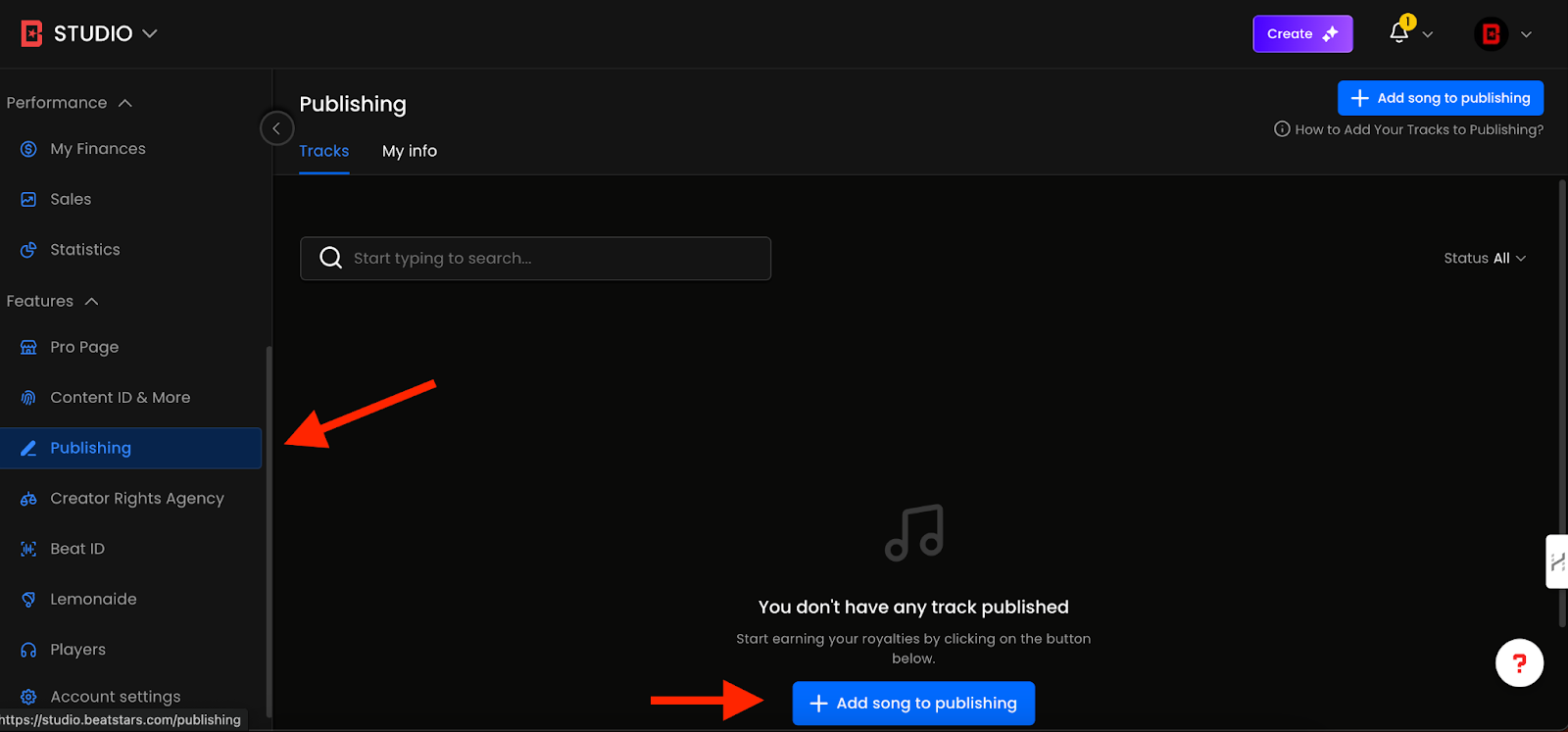
2. Click "Add My Song to Publishing.”
3. Type in your artist/producer name, track name or ISRC number into the search bar.

4. Add all the writers who contributed to the song, such as artists and producers, along with their respective publishing percentages. Our platform also features an auto-suggestion tool that can intelligently identify and suggest potential writers for your tracks.
PRO TIP: When submitting your songs, the ownership percentages of every songwriter must equal 100% when all are added together. Any songs submitted with splits that add up to more or less than 100% will be rejected in our portal.
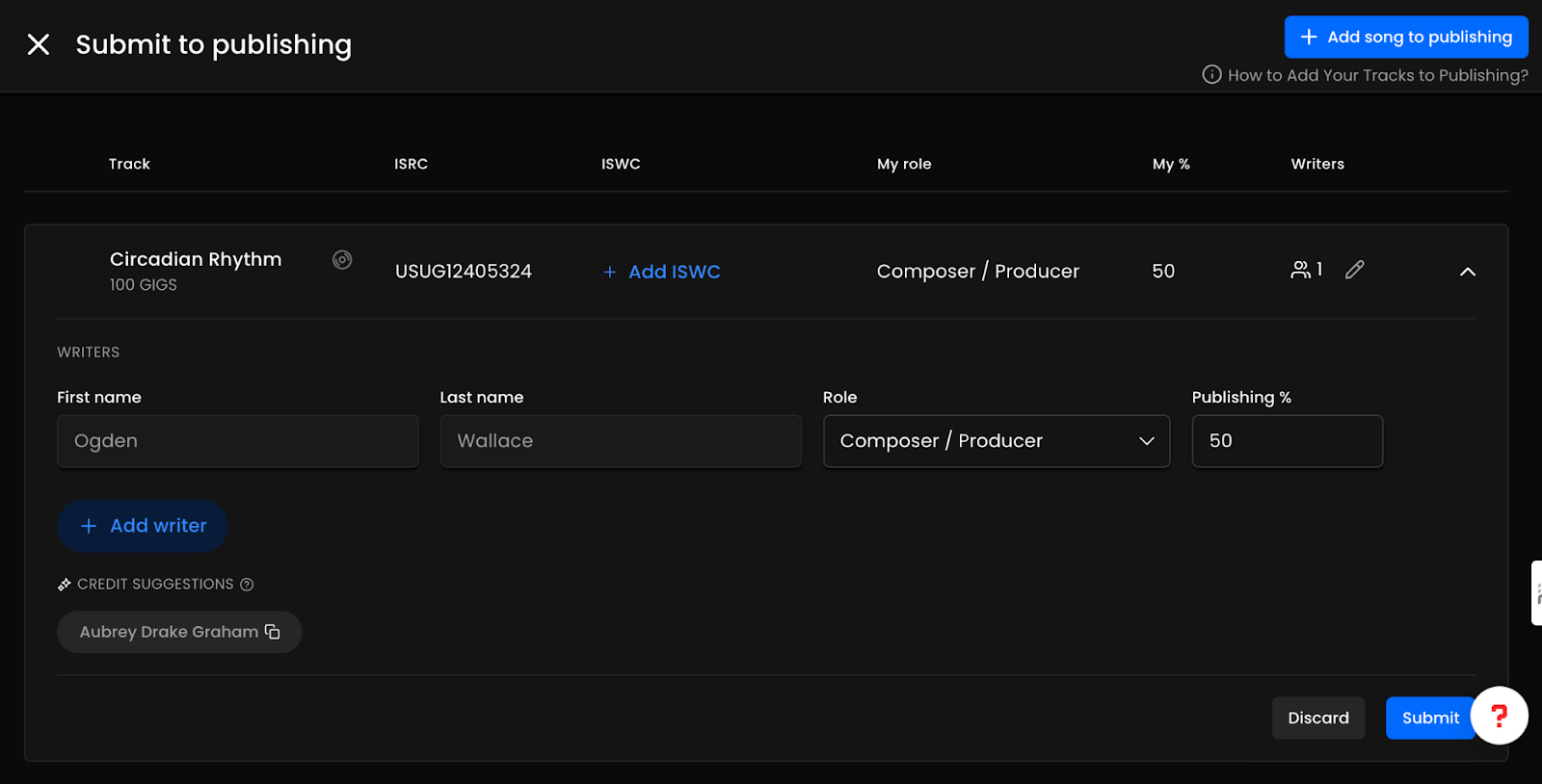
5. Submit your song, and our team will review it promptly. We’ll reach out to let you know if it’s approved or if we need additional information.
Copyright @ 2025 BeatStars. All rights reserved.